Avoiding Side Effects in Functions: Best Practices with TypeScript
I once called a function named getUser(). It returned a user. It also sent an email, updated a counter, and wrote to a log file. None of that was obvious ...
19 Apr 2024
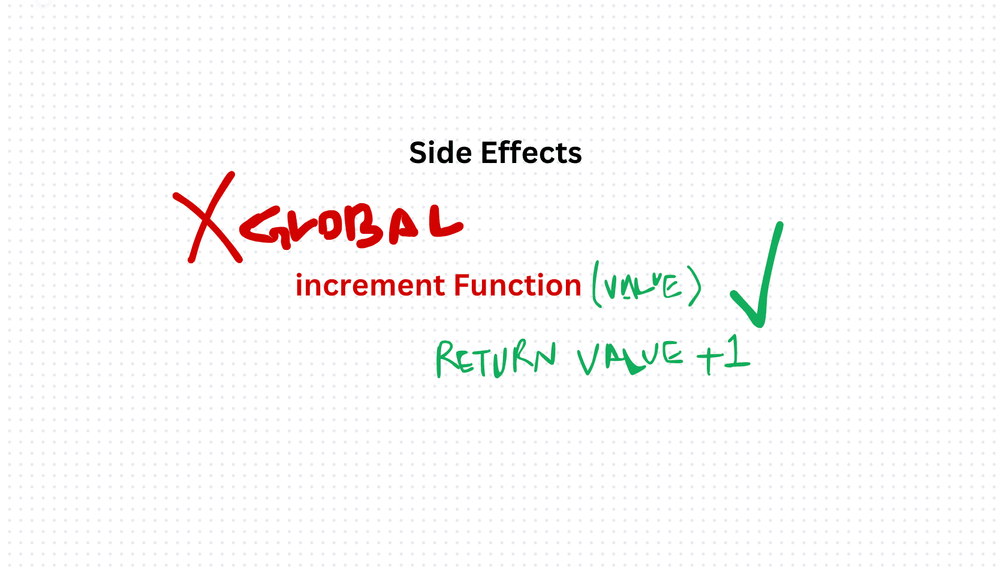
I once called a function named getUser(). It returned a user. It also sent an email, updated a counter, and wrote to a log file. None of that was obvious from the name. The bug took hours to find.
A side effect is when a function reaches outside its own scope and changes something. It modifies a global variable. It mutates an input. It writes to a database. The function does more than it advertises.
Why side effects are dangerous
A function with side effects is unpredictable. You call it expecting one thing, and it silently does three others. Testing becomes painful because you need to set up the entire world the function touches. Debugging becomes a treasure hunt.
Pure functions — functions that take input, return output, and touch nothing else — are the opposite. Same input, same output, every time.
The three common side effects
1. Modifying global state
let globalValue = 0;

// Side effect: mutates external state
function incrementGlobal(value: number): void {
  globalValue += value;
}

// Pure alternative: returns a new value
function increment(value: number, current: number): number {
  return current + value;
}

globalValue = increment(5, globalValue);
The pure version doesn't touch anything outside itself. The caller decides what to do with the result.
2. I/O operations
Functions that read files, call APIs, or query databases have side effects by nature. You can't avoid them entirely — your app needs to talk to the outside world.
The trick is to isolate them. Push I/O to the edges of your system. Keep your core logic pure. Pass data in, get data out. Let a thin layer at the boundary handle the messy real-world interactions.
3. Mutating function inputs
function applyDiscount(items: number[], discount: number): number[] {
  items.forEach((_, i) => { items[i] -= discount; }); // mutates the original
  return items;
}

// Pure alternative
function applyDiscount(items: readonly number[], discount: number): number[] {
  return items.map(item => item - discount); // returns a new array
}
The first version destroys the caller's data. The second leaves it untouched. Use readonly to make TypeScript enforce this at compile time.
See also: Avoiding Overwriting Function Inputs
The trade-off
Pure functions are easier to test, easier to reason about, and safer to refactor. But a program made entirely of pure functions does nothing useful — it can't save data, render a screen, or send a response.
The goal isn't zero side effects. It's controlled side effects. Keep them at the boundaries. Keep your core logic pure. Make side effects explicit and obvious, never hidden inside a function that pretends to be innocent.
Production-Ready Systems with LLMs and Agents
A live Maven cohort, 5 October to 2 November: eight 90-minute sessions where you build LLM and agent systems that survive real traffic, real cost and real failure. Tuesdays and Thursdays, 7:30 to 9:00pm London.
Cohort 2 starts 5 October. Eight live sessions, $1,500.
View the live cohortKeep reading
- DI, SOLID, and the Fundamentals That Actually Matter
- Coding Principles for Better Code Quality
- Right Balance: Best Practices for Code Comments in TypeScript
- Best Practices for Writing Isolated Tests in TypeScript
- Meaningful Test Concepts: Best Practices for Writing Tests in TypeScript
- Open-Closed Principle (OCP) Best Practices in TypeScript: Guidelines and Examples