Exploring Tree Data Structure in TypeScript
Your file system is a tree. The HTML DOM is a tree. The organization chart at your company is a tree. Any time data has a parent-child hierarchy, you're l...
20 Apr 2024
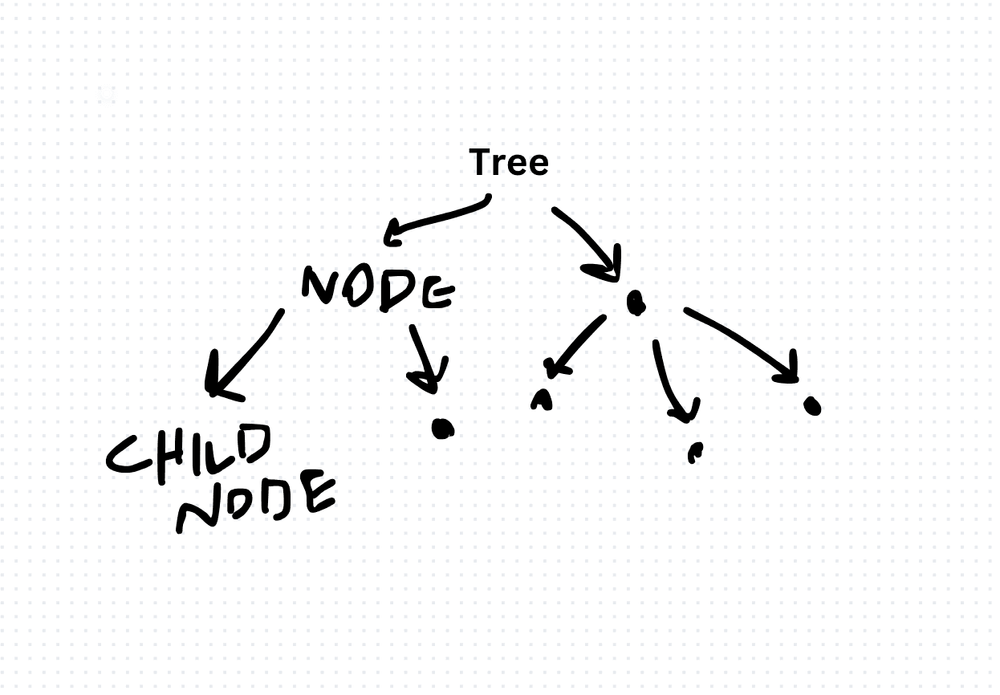
Your file system is a tree. The HTML DOM is a tree. The organization chart at your company is a tree. Any time data has a parent-child hierarchy, you're looking at a tree.
A tree is a collection of nodes connected by edges, where one node is the root and every other node has exactly one parent. No cycles, no loops. Just a clean hierarchy branching downward.
Node Implementation
class TreeNode<T> {
  data: T;
  children: TreeNode<T>[];

  constructor(data: T) {
    this.data = data;
    this.children = [];
  }

  addChild(child: TreeNode<T>): void {
    this.children.push(child);
  }
}
Building a Tree
const root = new TreeNode('CEO');
const vp1 = new TreeNode('VP Engineering');
const vp2 = new TreeNode('VP Product');
const lead = new TreeNode('Team Lead');

root.addChild(vp1);
root.addChild(vp2);
vp1.addChild(lead);
Traversal: Depth-First vs Breadth-First
The two fundamental ways to visit every node.
Depth-first (DFS) goes deep before going wide. It follows each branch to the bottom before backtracking. Implemented naturally with recursion (which uses the call stack) or an explicit stack:
function depthFirst<T>(node: TreeNode<T>): void {
  console.log(node.data);
  for (const child of node.children) {
    depthFirst(child);
  }
}
Breadth-first (BFS) goes wide before going deep. It visits all nodes at the current level before moving to the next. Implemented with a queue:
function breadthFirst<T>(root: TreeNode<T>): void {
  const queue: TreeNode<T>[] = [root];
  while (queue.length > 0) {
    const node = queue.shift()!;
    console.log(node.data);
    for (const child of node.children) {
      queue.push(child);
    }
  }
}
(Related: Tree Traversal Algorithms)
DFS is better when the answer is likely deep in the tree or you need to explore all paths (backtracking problems). BFS is better when the answer is likely close to the root or you need the shortest path.
Specialized Trees
Binary Tree: Each node has at most two children (left and right). The foundation for binary search trees, heaps, and expression trees.
Binary Search Tree (BST): Left child is always smaller, right child is always larger. Enables O(log n) search, insert, and delete -- when balanced. (BST Algorithm)
B-Tree: Self-balancing tree optimized for disk access. Used extensively in database indexes. Nodes can have many children, reducing tree height and disk reads.
Trie: Specialized for string prefix operations. Each node represents a character.
Where Trees Show Up
- File systems: Directories contain files and subdirectories. Classic tree.
- DOM: HTML elements nest inside each other. Browsers parse HTML into a tree.
- Database indexes: B-trees and B+ trees power most database index implementations.
- Routing algorithms: Network routing tables are often tree-structured.
- Decision trees: Machine learning models that split decisions into branching paths.
- AST (Abstract Syntax Tree): Compilers parse source code into a tree before generating machine code.
Trees are everywhere once you start looking. Understanding traversal and the different specialized variants is foundational knowledge that applies across domains.
Production-Ready Systems with LLMs and Agents
A live Maven cohort, 5 October to 2 November: eight 90-minute sessions where you build LLM and agent systems that survive real traffic, real cost and real failure. Tuesdays and Thursdays, 7:30 to 9:00pm London.
Cohort 2 starts 5 October. Eight live sessions, $1,500.
View the live cohortKeep reading
- Exploring Array Data Structure in TypeScript
- Exploring Linked List Data Structure in TypeScript
- Understanding Stack Data Structure in TypeScript: Implementation and Use Cases
- Exploring Queue Data Structure in TypeScript: Implementation and Applications
- Exploring Trie Data Structure in TypeScript: Implementation and Applications
- Exploring Graph Data Structures in TypeScript