Thread Pool Design Pattern
I was processing images in a Node.js service. Each image resize spawned a new worker thread. Under load, the system created hundreds of threads, burned th...
23 Mar 2024
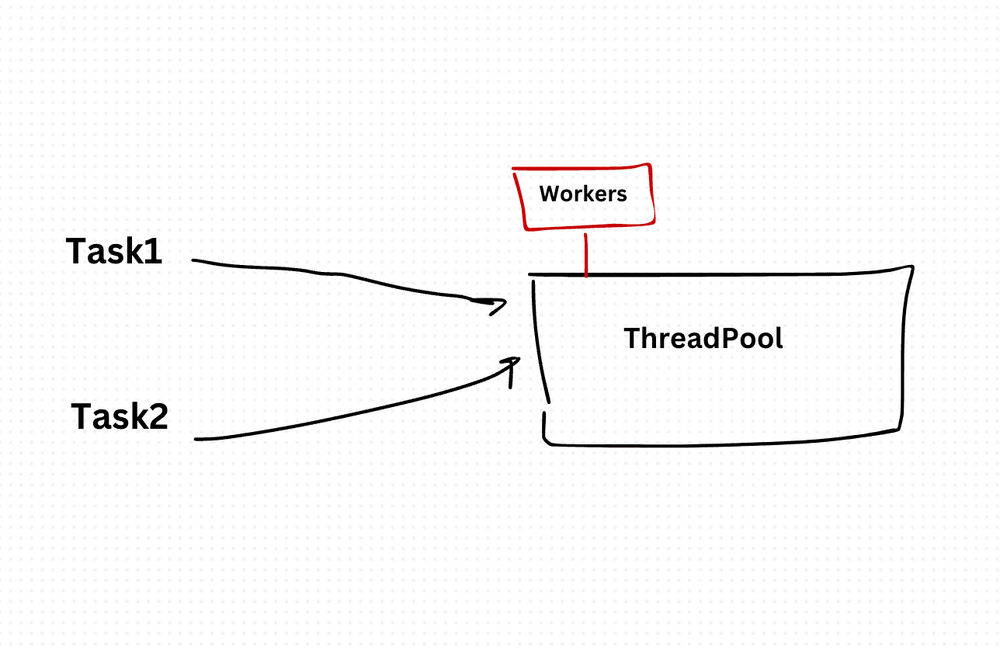
I was processing images in a Node.js service. Each image resize spawned a new worker thread. Under load, the system created hundreds of threads, burned through memory, and crashed. The problem wasn't the work — it was creating and destroying threads for every single task.
The Thread Pool pattern solves this by pre-creating a fixed number of worker threads and reusing them. Tasks go into a queue. When a worker finishes its current task, it picks up the next one. No thread creation overhead. No thread explosion.
Think of it like a taxi stand at an airport. There are 10 taxis. When passengers arrive, they get the next available taxi. If all taxis are busy, passengers wait in line. You don't buy a new taxi for every passenger.
class ThreadPool {
  constructor(size) {
    this.size = size;
    this.workers = Array.from({ length: size }, () => new Worker('worker.js'));
    this.availableWorkers = [...this.workers];
    this.taskQueue = [];
  }

  executeTask(task) {
    if (this.availableWorkers.length === 0) {
      this.taskQueue.push(task);
      console.log('All workers busy. Task queued.');
      return;
    }

    const worker = this.availableWorkers.pop();
    worker.postMessage(task);
    worker.onmessage = () => {
      if (this.taskQueue.length > 0) {
        const nextTask = this.taskQueue.shift();
        worker.postMessage(nextTask);
      } else {
        this.availableWorkers.push(worker);
      }
    };
  }
}

const pool = new ThreadPool(4);
pool.executeTask({ type: 'resize', file: 'image1.png' });
pool.executeTask({ type: 'resize', file: 'image2.png' });
pool.executeTask({ type: 'resize', file: 'image3.png' });
pool.executeTask({ type: 'resize', file: 'image4.png' });
pool.executeTask({ type: 'resize', file: 'image5.png' }); // Queued
The pool creates 4 workers at startup. When all 4 are busy, new tasks wait in the queue. When a worker finishes, it automatically picks up the next queued task. Workers are never created or destroyed during operation.
Sizing the Pool
- CPU-bound work (image processing, encryption): Pool size = number of CPU cores. More threads than cores just adds context-switching overhead.
- I/O-bound work (API calls, file reads): Pool size can exceed core count, since threads spend most of their time waiting.
- Start conservative and increase based on profiling. Over-provisioning wastes memory. Under-provisioning creates bottlenecks.
In Node.js
Node.js has worker_threads for CPU-intensive work and libraries like piscina that implement production-ready thread pools. In the browser, Web Workers serve the same purpose. Don't build your own thread pool from scratch unless you have a good reason — use an established library.
The benefit: Bounded resource usage. Predictable memory consumption. No thread creation/destruction overhead. Tasks are processed fairly through the queue.
The cost: Fixed concurrency limit means tasks may wait. If the pool is too small, you underutilize hardware. If it's too large, you waste memory. And worker threads add complexity — you need to handle communication (message passing), error handling in workers, and worker lifecycle management.
I use thread pools for image processing, PDF generation, data parsing, and any CPU-intensive work that would block the event loop. For I/O-bound async work in Node.js, the event loop handles concurrency naturally — you don't need a thread pool.
Production-Ready Systems with LLMs and Agents
A live Maven cohort, 5 October to 2 November: eight 90-minute sessions where you build LLM and agent systems that survive real traffic, real cost and real failure. Tuesdays and Thursdays, 7:30 to 9:00pm London.
Cohort 2 starts 5 October. Eight live sessions, $1,500.
View the live cohortKeep reading
- Event Sourcing Checklist: When It Makes Sense & Common Pitfalls
- Error Boundary React Design Pattern
- Context API React Design Pattern
- Higher-Order Component (HOC) React Design Pattern
- Container Component React Design Pattern
- Best Practices for Structuring Express.js Applications with Prisma Design Pattern