What is a Buffer Overflow vulnerability, and how can it be exploited?
Buffer overflow is one of the oldest bugs in computing. It was behind the Morris Worm in 1988. It is still behind CVEs today. The concept is simple: a pro...
14 Mar 2024
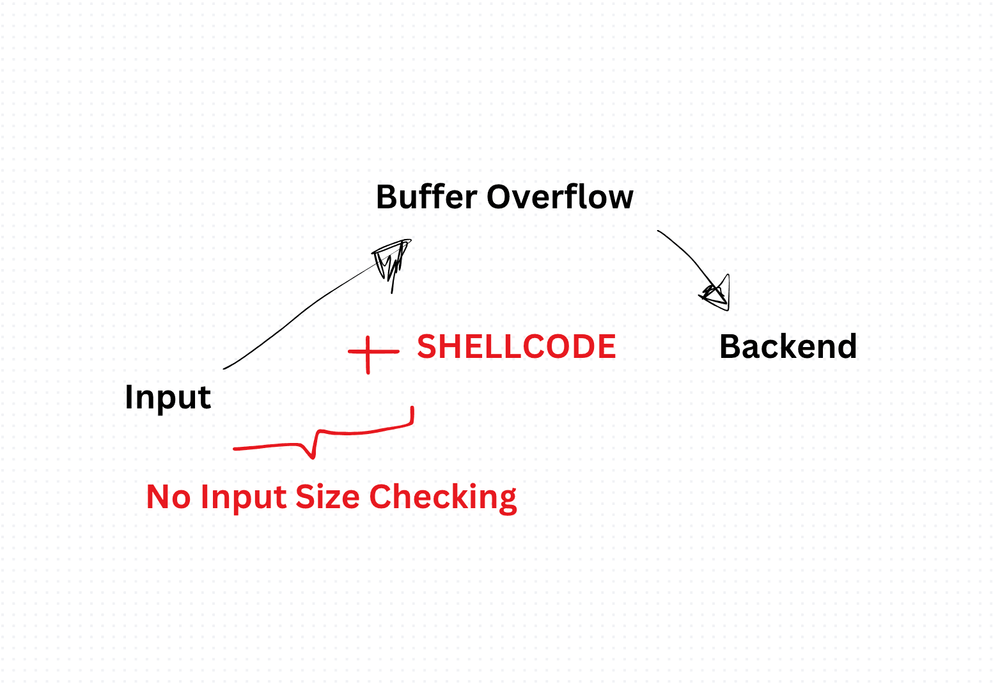
Buffer overflow is one of the oldest bugs in computing. It was behind the Morris Worm in 1988. It is still behind CVEs today. The concept is simple: a program writes more data into a memory buffer than it can hold, and the extra data spills into adjacent memory.
That spill is not just a crash. It is a doorway. An attacker who controls what overflows can overwrite return addresses, inject executable code, or redirect program flow. This is how remote code execution exploits work at the lowest level.
How it works
Imagine a fixed-size container. You pour in more than it can hold. The excess does not disappear. It overwrites whatever is next to it in memory.
In C, this is trivially exploitable:
char buffer[10];
strcpy(buffer, "This string is way too long for the buffer");
// Overflows into adjacent stack memory
In JavaScript, the runtime protects you from classic buffer overflows. Arrays resize dynamically. Strings are immutable. You cannot directly manipulate memory addresses.
But the concept still matters in the JavaScript world for two reasons:
- Node.js
Bufferobjects interact with raw memory. Misusing them can leak sensitive data. - Native addons and WebAssembly bypass JavaScript's memory safety. A C++ addon with a buffer overflow is just as exploitable as any other C++ program.
JavaScript-adjacent risks
Node.js used to have a dangerous default. Buffer.allocUnsafe(size) allocates memory without zeroing it. The buffer contains whatever was previously in that memory, potentially passwords, tokens, or encryption keys from other operations.
const unsafe = Buffer.allocUnsafe(100);
console.log(unsafe.toString());
// May contain fragments of previous memory contents
The safe version:
const safe = Buffer.alloc(100);
// Zeroed out, no data leakage
Always use Buffer.alloc() unless you have a specific performance reason and you are certain you will fill the entire buffer before reading it.
Input validation still matters
Even though JavaScript does not have classic buffer overflows, unbounded input is still dangerous. A function that accepts arbitrary-length input without limits can cause denial of service through memory exhaustion:
function processInput(input) {
  if (input.length > 10_000) {
    throw new Error('Input too large');
  }
  // Proceed with processing
}
Set limits on everything: request body size, file uploads, query string length, array sizes. The specific limit depends on your use case, but having no limit is never the right answer.
The bigger picture
Buffer overflows are a C/C++ problem that JavaScript developers rarely face directly. But understanding them matters. You will encounter them in security audits, CVE reports, and interview questions. More importantly, the underlying lesson applies everywhere: never trust input size, always validate boundaries, and know what your runtime does and does not protect you from.
Production-Ready Systems with LLMs and Agents
A live Maven cohort, 5 October to 2 November: eight 90-minute sessions where you build LLM and agent systems that survive real traffic, real cost and real failure. Tuesdays and Thursdays, 7:30 to 9:00pm London.
Cohort 2 starts 5 October. Eight live sessions, $1,500.
View the live cohortKeep reading
- Storing and Handling Sessions in Backend - Interview Question
- Describe the difference between symmetric and asymmetric encryption, and when each is appropriate.
- Explain SQL Injection and how to prevent it in software applications.
- What is Cross-Site Scripting (XSS), and how can it be prevented?
- OWASP Top Ten for Software Developers
- API Security Checklist