Request Payload Limitations in TypeScript
I once spent two hours debugging a 500 error that turned out to be a payload that was too large. The server just rejected it silently. No helpful error me...
1 May 2024
I once spent two hours debugging a 500 error that turned out to be a payload that was too large. The server just rejected it silently. No helpful error message. Just "request entity too large."
Every web server has a maximum payload size. Knowing the limits saves you from that debugging session.
Size limits are server-specific
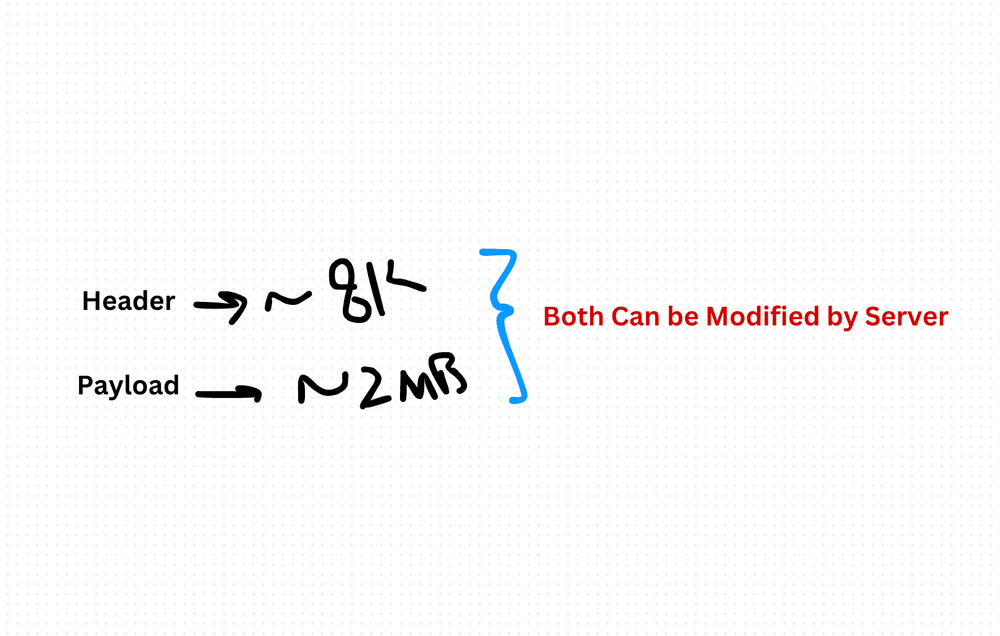
The HTTP spec (RFC 2616) doesn't define a maximum payload size. But every server implementation does:
- Tomcat — 2 MB default (configurable via
maxPostSize) - PHP — 2 MB default (configurable via
post_max_size) - Apache — 2 MB default (configurable via
LimitRequestBody) - Nginx — 1 MB default (configurable via
client_max_body_size) - Express/Node.js — 100 KB default with
body-parser
These are just defaults. You can raise them. But bigger payloads mean more memory, slower parsing, and wider attack surface.
Headers have limits too
HTTP headers don't have a spec-defined limit either. Apache defaults to 8 KB. IIS defaults to 16 KB. Exceed it and you get a 413 error.
Serialization matters
JSON is the default in most TypeScript projects, and it works well. But not everything serializes cleanly to JSON — binary data, circular references, and large nested objects can cause issues. Consider multipart form data for file uploads, and streaming for large payloads.
Content-Type must match
If you send JSON but your Content-Type header says text/plain, the server might misparse the body. Always match the header to the actual format. TypeScript won't catch this — it's a runtime concern.
Security implications
Large payloads are a vector for denial-of-service attacks. Validate payload size on the server. Validate the structure of incoming data. Never trust the client.
The practical takeaway
Know your server's limits before you hit them. Set explicit size limits in your Express/Fastify/Koa config. Use compression for large responses. Stream instead of buffering when payloads get big. And always validate incoming data — TypeScript types disappear at runtime.
Production-Ready Systems with LLMs and Agents
A live Maven cohort, 5 October to 2 November: eight 90-minute sessions where you build LLM and agent systems that survive real traffic, real cost and real failure. Tuesdays and Thursdays, 7:30 to 9:00pm London.
Cohort 2 starts 5 October. Eight live sessions, $1,500.
View the live cohortKeep reading
- TypeScript Anti-Patterns That Cost You Twice: Build Time, Runtime, and the Interview
- The Frontend Toolchain Is Now Written in Rust and Go. What That Means for You
- oxlint vs ESLint: Why I Replaced ESLint with oxlint
- SystemJS Is Dead. Native ESM Finally Won.
- Replace Axios with a Simple Custom Fetch Wrapper (Production-Ready Guide)
- Stop Shipping ChatGPT Wrappers. Ship an Agent in TypeScript, or Don't Bother.