Exploring Primitive Data Structures, Number, String, Boolean, Null and Undefined in TypeScript
Before you reach for arrays, objects, or classes, there are primitives. These are the atomic building blocks of TypeScript. Every complex data structure e...
20 Apr 2024
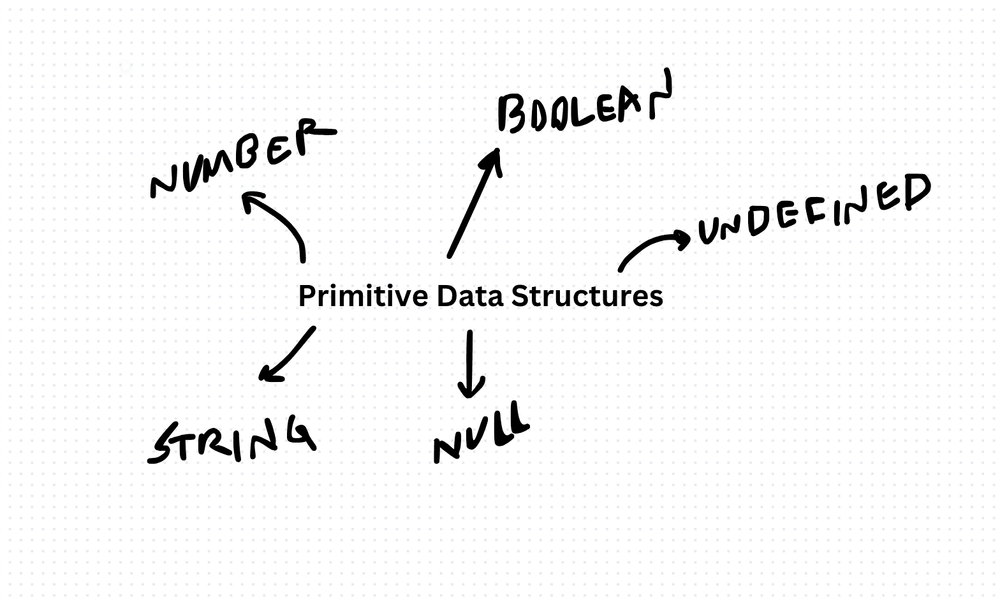
Before you reach for arrays, objects, or classes, there are primitives. These are the atomic building blocks of TypeScript. Every complex data structure eventually decomposes into these.
TypeScript has five primitive types that matter day-to-day: number, string, boolean, null, and undefined.
Number
TypeScript uses a single number type for both integers and floating-point values. Under the hood, it's a 64-bit IEEE 754 double-precision float. This means:
const age: number = 30;
const price: number = 19.99;
const hex: number = 0xff;
The gotcha: floating-point arithmetic isn't exact. 0.1 + 0.2 gives 0.30000000000000004, not 0.3. For financial calculations, work in cents (integers) or use a decimal library.
For very large integers, TypeScript also supports bigint:
const huge: bigint = 9007199254740991n;String
Strings are immutable sequences of characters. Template literals make them powerful:
const name: string = 'Ehsan';
const greeting: string = `Hello, ${name}`;
const multiline: string = `Line one
Line two`;
Strings are immutable. Every operation that appears to modify a string actually creates a new one. Concatenating strings in a loop creates n intermediate strings. For heavy string building, use an array and join().
Boolean
Two values: true and false. Simple but critical for control flow.
const isActive: boolean = true;
const hasPermission: boolean = false;
Watch out for truthy/falsy confusion. In JavaScript/TypeScript, 0, "", null, undefined, and NaN are all falsy. This catches people:
const count = 0;
if (count) {
  // This never runs, even though count is a valid number
}
Use explicit comparisons (count !== 0 or count > 0) when the distinction matters.
Null and Undefined
These two represent "absence of value" but in subtly different ways.
undefined means "not yet assigned." A declared variable without a value is undefined. A missing function argument is undefined. An object property that doesn't exist returns undefined.
null means "intentionally empty." You set something to null to explicitly say "no value here."
let firstName: string | null = null;  // intentionally empty
let lastName: string | undefined;      // not yet set

firstName = 'Ehsan';  // now assigned
With strictNullChecks enabled (and it should be), TypeScript forces you to handle both cases:
function greet(name: string | null): string {
  if (name === null) {
    return 'Hello, stranger';
  }
  return `Hello, ${name}`;
}
The Practical Rule
Primitives are stored by value, not by reference. When you assign a primitive to a new variable, you get a copy. Modifying the copy doesn't affect the original:
let a = 5;
let b = a;
b = 10;
// a is still 5
Objects and arrays work differently -- they're stored by reference. Understanding this distinction prevents a whole class of bugs. Every TypeScript developer should have it drilled in.
Production-Ready Systems with LLMs and Agents
A live Maven cohort, 5 October to 2 November: eight 90-minute sessions where you build LLM and agent systems that survive real traffic, real cost and real failure. Tuesdays and Thursdays, 7:30 to 9:00pm London.
Cohort 2 starts 5 October. Eight live sessions, $1,500.
View the live cohortKeep reading
- Exploring Array Data Structure in TypeScript
- Exploring Linked List Data Structure in TypeScript
- Understanding Stack Data Structure in TypeScript: Implementation and Use Cases
- Exploring Queue Data Structure in TypeScript: Implementation and Applications
- Exploring Tree Data Structure in TypeScript
- Exploring Trie Data Structure in TypeScript: Implementation and Applications